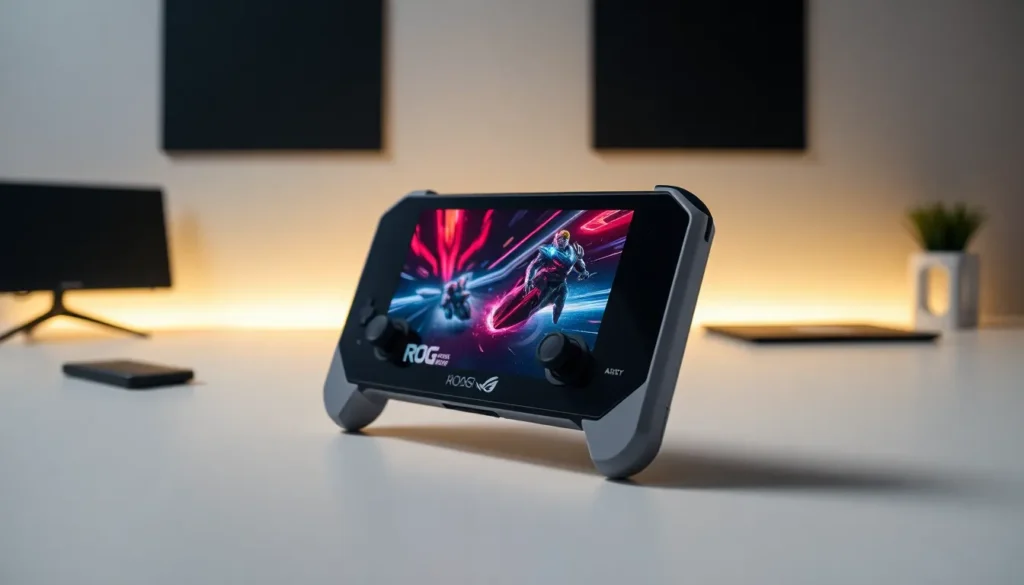

The ASUS ROG Ally is a handheld gaming PC that runs Windows 11 and plays AAA games on the go. Released in 2023, this device changed how gamers think about portable gaming. It combines powerful AMD hardware with a 7-inch touchscreen display in a compact form factor.
The ASUS ROG Ally competes directly with the Steam Deck and Nintendo Switch. But, it offers something different: full Windows compatibility and access to multiple game stores. Gamers can play titles from Steam, Epic Games, Xbox Game Pass, and more without restrictions.
This guide covers everything about the ASUS ROG Ally. It explains the hardware specs, gaming performance, software features, battery life, and how it stacks up against competitors.
Table of Contents
ToggleKey Takeaways
- The ASUS ROG Ally is a handheld gaming PC running Windows 11, offering access to Steam, Xbox Game Pass, Epic Games, and other PC game stores.
- Powered by AMD Ryzen Z1 or Z1 Extreme processors, the ASUS ROG Ally delivers impressive AAA gaming performance at medium to high settings.
- The 7-inch 1080p display with 120Hz refresh rate and FreeSync Premium provides smooth, sharp visuals during gameplay.
- Battery life ranges from 2 hours in Turbo mode to 4-6 hours with lighter games and power-saving settings.
- Compared to Steam Deck and Nintendo Switch, the ROG Ally offers superior raw performance and full Windows compatibility in a portable 608-gram design.
- Armoury Crate SE software unifies your game library and provides quick access to performance settings, making the handheld experience seamless.
Key Specifications and Hardware
The ASUS ROG Ally packs serious hardware into a device that weighs just 608 grams. At its core sits a custom AMD Ryzen Z1 or Z1 Extreme processor. The Z1 Extreme model delivers better performance with 8 cores, 16 threads, and integrated RDNA 3 graphics.
The display measures 7 inches diagonally with a 1920×1080 resolution. It refreshes at 120Hz, which creates smooth visuals during fast-paced gameplay. The screen supports FreeSync Premium, so it reduces screen tearing and stuttering.
Memory and storage specs include:
- 16GB LPDDR5 RAM at 6400MHz
- 512GB PCIe 4.0 NVMe SSD
- MicroSD card slot for expanded storage
The ASUS ROG Ally features ergonomic controls positioned for comfort during long gaming sessions. Two analog sticks sit at the top, with a D-pad and ABXY buttons below. Hall effect triggers provide precise input without stick drift issues over time.
Connectivity options include a USB-C port with DisplayPort support, a 3.5mm headphone jack, and Wi-Fi 6E. Gamers can connect the ASUS ROG Ally to external monitors or TVs for a big-screen experience. The device also works with Bluetooth controllers and accessories.
Gaming Performance and Capabilities
The ASUS ROG Ally runs modern games at playable frame rates. The Z1 Extreme chip handles titles like Cyberpunk 2077, Elden Ring, and Starfield. Most games run well at medium to high settings with FSR upscaling enabled.
Performance varies based on the power mode selected. Turbo mode pushes the TDP to 25 watts for maximum performance. Performance mode balances power and battery at 15 watts. Silent mode reduces fan noise but limits gaming capability.
Real-world gaming benchmarks show impressive results:
| Game | Settings | Average FPS |
|---|---|---|
| Cyberpunk 2077 | Medium/FSR | 40-50 FPS |
| Elden Ring | High | 45-55 FPS |
| Forza Horizon 5 | High | 55-65 FPS |
| Hades | Max | 120 FPS |
The ASUS ROG Ally also excels at emulation. It runs PlayStation 3, Wii U, and Switch emulators smoothly. Retro gaming fans can play classic titles from older platforms without issues.
Cloud gaming works great on this device too. Xbox Cloud Gaming, GeForce Now, and other streaming services perform well thanks to the fast Wi-Fi 6E connection. This extends the library beyond what the local hardware can run.
Operating System and Software Features
Windows 11 runs on the ASUS ROG Ally out of the box. This gives users access to the full Windows ecosystem, including all PC games and productivity software. The operating system includes touch-friendly optimizations for handheld use.
ASUS developed Armoury Crate SE specifically for the ROG Ally. This software serves as the main interface for launching games and adjusting settings. It pulls games from Steam, Epic, GOG, and other installed launchers into one unified library.
Key software features include:
- Command Center: A quick-access overlay for adjusting performance, fan speed, and display settings mid-game
- Game Library: Aggregates all installed games regardless of storefront
- Performance Profiles: Custom power and GPU settings for different games
- Controller Mapping: Remaps buttons and creates game-specific profiles
The ASUS ROG Ally supports Xbox Game Pass, which provides access to hundreds of games for a monthly subscription. This library alone makes the device worthwhile for many gamers.
Windows compatibility means the ROG Ally handles more than gaming. Users can browse the web, stream video, run office applications, or even do light creative work. It’s a full PC that fits in a backpack.
Battery Life and Portability
Battery life on the ASUS ROG Ally depends heavily on what’s running. The 40Wh battery lasts around 2 hours during intensive AAA gaming in Turbo mode. Lighter games and lower power modes extend this to 4-6 hours.
The included 65W charger fills the battery from empty in about 90 minutes. USB-C Power Delivery support means third-party chargers and power banks work too. Many gamers carry a portable battery for extended sessions away from outlets.
Portability is a strong point for the ASUS ROG Ally. The device measures 280mm x 111mm x 21mm, small enough for most bags and large pockets. It weighs 608 grams, which feels comfortable during handheld play.
Cooling keeps the device manageable during use. Dual fans and multiple heat pipes prevent thermal throttling. The fans get loud in Turbo mode, but Silent mode keeps noise minimal for quieter environments.
ASUS sells an official carrying case that protects the ROG Ally during travel. The case includes space for the charger and a few accessories.
How It Compares to Other Handheld Gaming Devices
The ASUS ROG Ally enters a competitive market with several strong alternatives. Each device has different strengths worth considering.
ASUS ROG Ally vs. Steam Deck
The Steam Deck runs SteamOS (Linux-based) while the ASUS ROG Ally uses Windows 11. The ROG Ally offers a sharper 1080p 120Hz display compared to the Deck’s 800p 60Hz screen. Raw performance favors the ROG Ally in most games. But, the Steam Deck costs less and has better battery life due to its lower-resolution display.
ASUS ROG Ally vs. Nintendo Switch
The Nintendo Switch plays Nintendo exclusives, that’s its biggest advantage. The ASUS ROG Ally crushes it in raw power and runs a much larger game library. But the Switch offers better battery life and access to games like Zelda and Mario that aren’t available elsewhere.
ASUS ROG Ally vs. Lenovo Legion Go
The Legion Go features a larger 8.8-inch screen and detachable controllers. The ASUS ROG Ally is more compact and lighter. Both run Windows 11 and use similar AMD chips. The choice often comes down to screen size preference and ergonomics.
The ASUS ROG Ally stands out for gamers who want maximum performance and Windows compatibility in a portable package. It’s ideal for those who already own games across multiple PC storefronts.