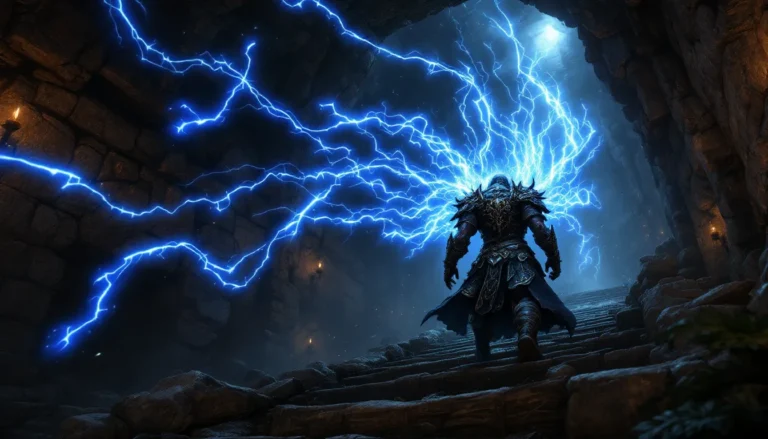

Skyrim Special Edition still dominates the modding scene in 2026, more than a decade after Bethesda launched the remastered version. The Nexus Mods platform hosts over 70,000 mods for Skyrim SE alone, transforming the base game into anything from a survival horror experience to a photorealistic fantasy simulator. Whether someone’s running their first playthrough or their hundredth, the right combination of mods can make Tamriel feel brand new.
The sheer volume of available mods creates a challenge: where do you start, and how do you avoid bricking your game with conflicts and crashes? This guide cuts through the noise with curated recommendations, installation best practices, and troubleshooting strategies that actually work. From essential frameworks like SKSE64 to game-changing overhauls, here’s everything needed to build a stable, stunning Skyrim SE mod setup in 2026.
Table of Contents
ToggleKey Takeaways
- Skyrim SE Nexus Mods hosts over 70,000 modifications that transform the base game into any experience, from survival horror to photorealistic fantasy, extending gameplay far beyond the vanilla 200 hours.
- SKSE64 and essential frameworks like SkyUI, Address Library, and PapyrusUtil are non-negotiable prerequisites that enable most major mods to function properly.
- Install Skyrim SE Nexus Mods through Vortex or Mod Organizer 2 with a clean game installation and proper load order management using LOOT to prevent crashes and conflicts.
- Top visual mods like Obsidian Weathers, Lux lighting, and Noble Skyrim textures dramatically improve graphics with manageable performance impact on modern hardware.
- Gameplay overhauls such as Valhalla Combat, Mysticism magic system, and Sunhelm Survival add depth and immersion while the Unofficial Patch fixes over 1,500 vanilla bugs.
- Content expansion mods like Beyond Skyrim: Bruma, The Forgotten City, and Legacy of the Dragonborn add hundreds of hours of professionally crafted new quests and regions that rival official DLC.
What Are Skyrim SE Nexus Mods and Why Use Them?
Nexus Mods serves as the largest and most trusted repository for Skyrim Special Edition modifications. The platform hosts everything from minor texture replacements to complete conversion mods that add hundreds of hours of new content. Unlike Steam Workshop (which Bethesda deprecated for Skyrim SE), Nexus Mods provides robust version control, detailed mod descriptions, and a passionate community that actively maintains legacy content.
Mods extend Skyrim SE’s lifespan indefinitely. The base game offers roughly 200 hours of content, but mods multiply that exponentially. Players can add new questlines that rival official DLC, overhaul combat systems to match modern action RPGs, or rebuild the entire visual experience with 4K textures and photorealistic lighting. The modding community has essentially kept Skyrim alive longer than most live-service games manage.
Understanding the Nexus Mods Platform
Nexus Mods requires a free account to download files, with optional Premium membership ($5/month or $50/year) that enables faster download speeds and one-click mod installation through Vortex. The platform tracks over 3,000 games, but Skyrim SE consistently ranks in the top three for active mods and daily downloads.
Each mod page includes critical information: requirements, known conflicts, changelogs, and user comments where problems get flagged fast. The endorsement system (similar to upvotes) helps identify quality mods, though recent releases need time to accumulate endorsements. Most experienced modders check the Posts and Bugs tabs before installing anything, community feedback often reveals issues the mod author hasn’t documented yet.
The platform’s API integration with mod managers like Vortex and Mod Organizer 2 streamlines the installation process. Instead of manually downloading and extracting files, users can click “Mod Manager Download” and let their chosen tool handle file placement, plugin activation, and basic conflict detection.
Skyrim Special Edition vs. Oldrim: Modding Differences
Skyrim Special Edition runs on a 64-bit engine, while the original Skyrim (“Oldrim” or “Legendary Edition”) uses 32-bit architecture. This technical difference matters enormously: SE’s 64-bit engine can address significantly more RAM, reducing crashes from memory overflow that plagued heavily modded Oldrim installations. SE also includes all three official DLC packs (Dawnguard, Hearthfire, Dragonborn) in the base package.
Mods created for Oldrim won’t work directly in SE without conversion. Mesh and texture files usually transfer fine, but plugins (.esp/.esm files) need to be resaved in the Creation Kit for SE, and scripts compiled for Oldrim’s Papyrus version can cause crashes. Many popular Oldrim mods have official SE ports, but older or abandoned mods require manual conversion, a process that involves moderate technical knowledge.
SE’s improved stability comes with a tradeoff: ENB presets (advanced graphics injectors) took years to reach feature parity with Oldrim versions. As of 2026, SE’s ENB capabilities finally match and sometimes exceed Oldrim, with better performance overhead. The active modding community has also fully transitioned to SE, meaning new mods and updates almost exclusively target Special Edition.
Getting Started: Installing Skyrim SE Nexus Mods Safely
Jumping straight into modding without proper setup leads to corrupted saves, infinite loading screens, and CTDs (crash to desktop) that’ll make anyone ragequit. A clean installation and the right tools make the difference between a stable 300-mod setup and a game that won’t launch.
Start with a fresh Skyrim SE installation. If the game’s been played vanilla or with previous mods, consider a complete reinstall: uninstall through Steam, delete the Skyrim Special Edition folder in Steam/steamapps/common, and remove any leftover files in Documents/My Games/Skyrim Special Edition. This nuclear option prevents old configuration files from interfering with modded setups.
Setting Up Nexus Mod Manager or Vortex
Vortex is Nexus Mods’ official mod manager and the recommended starting point for newcomers. It handles installation, load order management, and conflict resolution through a visual interface. Download Vortex from the Nexus Mods site, install it, then point it to your Skyrim SE installation directory during initial setup.
Vortex’s key advantage: automated conflict resolution using LOOT (Load Order Optimization Tool) integration. When two mods modify the same game asset, Vortex flags the conflict and lets users choose which mod takes priority. The interface can feel overwhelming initially, but the built-in tutorial covers essential functions.
Mod Organizer 2 (MO2) offers more granular control for advanced users. It uses a virtual file system that doesn’t actually modify the Skyrim SE data folder, allowing multiple mod profiles for different playthroughs. Many veteran modders prefer MO2’s approach, but the steeper learning curve makes it less ideal for first-time modders. Both tools work equally well, choose based on comfort level with technical interfaces.
After installing a mod manager, link it to a Nexus Mods account. Premium members can use one-click installation: free users download files manually and add them through the manager’s “Install from File” option.
Essential Prerequisites: SKSE64 and Other Frameworks
SKSE64 (Skyrim Script Extender 64) is non-negotiable for most major mods. It extends Skyrim’s scripting capabilities beyond what Bethesda’s vanilla engine allows, enabling features the base game can’t support. As of March 2026, the current SKSE64 version is 2.2.6, compatible with Skyrim SE version 1.6.640 and later.
Installing SKSE64 requires manual file placement (mod managers can’t fully automate this). Download the current build from the official SKSE site, extract the archive, and copy the .dll and .exe files to the Skyrim SE root directory (where SkyrimSE.exe lives). Launch Skyrim through skse64_loader.exe instead of the default launcher, many mods won’t function correctly otherwise. Vortex and MO2 can be configured to always launch through SKSE64.
Other critical frameworks include:
- Address Library for SKSE Plugins: Allows SKSE plugins to work across different game versions without recompilation
- SkyUI: Complete interface overhaul and requirement for many mods with Mod Configuration Menus (MCM)
- PapyrusUtil: Extends Papyrus scripting with additional functions many mods depend on
- UIExtensions: Adds custom UI menus used by various mods
These frameworks rarely cause problems and should be installed before any content mods. They’re maintained actively and update regularly when Bethesda pushes anniversary edition patches.
Understanding Load Orders and Mod Conflicts
Load order determines which mod’s changes take priority when multiple mods modify the same game element. Skyrim SE processes plugins (.esp, .esm, .esl files) sequentially, mods loaded later override earlier ones. A poorly organized load order causes everything from minor visual glitches to game-breaking quest failures.
LOOT (Load Order Optimization Tool) automates this process with a massive database of known mod relationships. Both Vortex and MO2 integrate LOOT functionality. Run LOOT after installing or updating mods, review its suggestions, and apply the optimized load order. LOOT isn’t perfect, it occasionally makes mistakes with niche or newly released mods, but it prevents 90% of common load order issues.
Conflicts fall into two categories: asset conflicts (two mods replace the same texture or mesh) and plugin conflicts (two mods modify the same game record). Asset conflicts usually just mean one mod’s version displays instead of another’s. Plugin conflicts can break quests, create invincible NPCs, or cause crashes. Using tools like essential modding utilities helps identify and resolve these issues before they corrupt saves.
The golden rule: read mod descriptions completely. Authors list requirements, incompatibilities, and load order recommendations. Ignoring these warnings guarantees problems.
Top Graphics and Visual Enhancement Mods for Skyrim SE
Visual mods transform Skyrim SE from a 2016 remaster into something that rivals modern AAA releases. The modding community has rebuilt virtually every texture, lighting system, and weather effect in the game. A well-configured graphics setup can make Skyrim SE look like it launched yesterday, provided your hardware can handle it.
Performance expectations: 1080p gaming with moderate visual mods requires a GTX 1060 or RX 580 minimum. 4K with heavy ENB presets demands RTX 3070/RX 6800 tier hardware or better. VRAM matters more than raw GPU power for texture mods, 8GB VRAM minimum for 2K texture packs, 10-12GB for 4K.
Weather and Lighting Overhauls
Obsidian Weathers and Seasons remains the top weather mod in 2026, balancing visual impact with performance. It adds 150+ weather variations, volumetric lighting, and seasonal effects without tanking framerates. The MCM lets users customize everything from fog density to storm frequency. Obsidian plays nicely with most lighting mods, making it an ideal foundation for visual builds.
Cathedral Weathers and Seasons offers a more vanilla-plus approach with subtler changes. It maintains Skyrim’s original aesthetic while improving color grading, contrast, and dynamic weather transitions. Many players prefer Cathedral for survival playthroughs where clarity matters more than dramatic screenshots.
For lighting, Lux is the current gold standard. Released in 2024, it’s replaced older options like ELFX (Enhanced Lights and FX) and Relighting Skyrim. Lux completely rebuilds interior and exterior lighting with hand-placed light sources, realistic shadows, and proper light falloff. The performance hit is minimal, most systems lose 2-3 FPS compared to vanilla lighting. Lux has separate versions for different weather mods, so grab the patch that matches your weather overhaul.
Lux Via (Lux’s exterior-focused companion) addresses road and path lighting. It adds lanterns, torches, and magical light sources along major routes, making nighttime travel less frustrating without breaking immersion.
Texture and Mesh Improvements
Noble Skyrim Mod HD-2K is the most performance-friendly complete texture overhaul. It retextures everything from terrain to architecture at 2K resolution while maintaining Skyrim’s original art direction. The full install runs about 6GB and delivers massive visual improvement for minimal VRAM cost. A 4K version exists for those with headroom.
Skyland AIO (All In One) takes a more artistic approach, enhancing vanilla textures with improved detail and color balance. The modular installation lets users pick specific components (landscapes, architecture, dungeons) rather than committing to the full package. Skyland’s popularity has grown significantly since its 2023 overhaul, and many players currently favor modern texture mods that maintain artistic consistency.
SMIM (Static Mesh Improvement Mod) isn’t technically a texture mod, it replaces Skyrim’s low-poly meshes with higher-detail versions. Ropes look like actual rope instead of brown cylinders. Chains have individual links. Furniture shows wood grain. SMIM is virtually mandatory for any visual setup, with negligible performance impact on modern hardware.
For character improvements:
- Tempered Skins for Males/Females: Realistic skin textures without the uncanny valley effect
- Expressive Facial Animation: Adds 5,000+ new facial expressions for NPCs
- Pandorable’s NPCs: Complete visual overhaul for major characters, maintaining lore-friendliness
ENB Presets for Stunning Visuals
ENB (Enhanced Natural Beauty, though the acronym’s origins are disputed) is a post-processing injector that adds effects impossible through standard modding: ambient occlusion, screen-space reflections, depth of field, color grading, and more. ENB presets can make Skyrim look photorealistic, stylized like a painting, or anything between.
Rudy ENB for Obsidian Weathers is the most popular preset in 2026. It emphasizes natural colors, realistic lighting, and impressive weather effects without oversaturated fantasy aesthetics. Performance is reasonable for an ENB, expect 15-20% FPS loss on high-end hardware. Rudy’s consistent updates and excellent documentation make it accessible for ENB newcomers.
Silent Horizons ENB offers a darker, moodier interpretation of Skyrim. It’s perfect for horror-themed or survival playthroughs where oppressive atmosphere matters. Performance is slightly better than Rudy due to fewer expensive effects, though the darker overall look isn’t everyone’s preference.
NAT 3 (Natural and Atmospheric Tamriel) bundles weather and ENB into one package. The integrated approach means zero compatibility issues between weather and lighting systems. NAT 3’s performance is exceptional for its visual quality, it uses selective ENB effects rather than enabling everything. The tradeoff: less customization than modular setups.
ENB installation requires downloading ENB binaries from enbdev.com (grab the current Skyrim SE version), then extracting specific files to the Skyrim SE root directory. Each preset includes installation instructions, but the basic process involves copying the preset’s enbseries folder and .ini files to overwrite the base ENB files. Launch the in-game ENB GUI with Shift+Enter to tweak settings.
Best Gameplay and Immersion Mods
Visual mods make Skyrim pretty, but gameplay overhauls make it worth playing for the hundredth time. The base game’s mechanics haven’t aged particularly well, combat is simplistic, perk trees are unbalanced, and NPC behavior breaks immersion constantly. Mods fix these problems and transform Skyrim into the game Bethesda probably wanted to make given unlimited time and resources.
Combat and Perk Overhauls
Valhalla Combat is the current meta for combat overhauls in 2026. It replaced older options like Wildcat and Smilodon by combining their best elements: timed blocking, stamina-based combat, injury system, and dynamic difficulty that adjusts based on player performance. The mod’s configurable MCM lets players tune everything from damage multipliers to stagger thresholds. Valhalla works seamlessly with both first and third-person combat styles.
Precision – Accurate Melee Collisions fundamentally changes how melee combat feels. Instead of Skyrim’s default hit detection (basically an invisible dice roll), Precision uses actual hitboxes. Weapons physically need to connect with enemies to deal damage. The skill ceiling increases dramatically, positioning and timing matter more than just left-clicking repeatedly. Combined with Valhalla, melee combat approaches Souls-like responsiveness.
For magic users, Mysticism – A Magic Overhaul balances spell effects without adding 500 new spells that clutter the magic menu. It fixes vanilla spell weaknesses, makes spell types equally viable, and scales magic damage appropriately for late-game content. Mysticism maintains vanilla balance philosophy while eliminating exploitation strategies like permanent invisibility or game-breaking enchanting loops.
Adamant – A Perk Overhaul redesigns all perk trees to eliminate trap perks and create viable build diversity. Every perk feels impactful, and the streamlined trees reduce decision paralysis. Adamant plays nicely with other Simon Magus mods (Mysticism, Blade and Blunt, Scion) for players wanting a complete vanilla-plus gameplay overhaul. Those seeking advanced combat tactics often combine these systems for maximum depth.
Survival and Needs Mods
Sunhelm Survival and Needs is lighter and more configurable than older survival mods like Frostfall and iNeed. It adds hunger, thirst, and fatigue mechanics with sensible default values, survival elements enhance immersion without becoming a frustrating micromanagement simulator. Cold weather matters again, forcing players to plan routes around available shelter. The MCM allows granular customization, letting players enable only the survival elements they want.
Campfire – Complete Camping System pairs perfectly with Sunhelm. It adds craftable camping equipment, survival skills, and the ability to set up camp anywhere in Skyrim. Building a campfire, cooking fresh-caught salmon, and sleeping under the stars while auroras dance overhead creates moments the vanilla game never delivers. Campfire’s compatibility with dozens of other mods has kept it relevant since 2015.
Hunterborn transforms hunting from “kill animal, take pelt” into an actual gameplay system. It adds field dressing, meat harvesting, and hide processing that requires time and tools. Combined with survival mods, Hunterborn makes wilderness playthroughs genuinely viable, players can sustain themselves through hunting rather than relying on town vendors.
NPC and AI Enhancements
AI Overhaul SSE revolutionizes how NPCs behave. Citizens follow realistic schedules, travelers actually travel between towns, and NPCs react contextually to weather and time of day. Guards patrol rather than standing static at gates. Shop owners close up early during storms. These small details compound into a world that feels genuinely lived-in rather than populated by mannequins waiting for player interaction.
Immersive Citizens – AI Overhaul (not to be confused with AI Overhaul SSE) focuses specifically on improving NPC survival instincts and interaction behaviors. During dragon attacks, NPCs run to safety rather than grabbing iron daggers to fight ancient god-beasts. Children play hide-and-seek. Guards investigate suspicious noises. Some modders run both AI mods together even though potential conflicts, but most pick one based on priority: AI Overhaul for scheduling or Immersive Citizens for emergency behaviors.
Relationship Dialogue Overhaul fixes Skyrim’s awkward social systems. NPCs remember past conversations, relationship status affects available dialogue, and followers feel like companions rather than pack mules who occasionally fight. Combined with Immersive Sounds – Compendium (which adds contextual audio for NPC actions), these mods make Skyrim’s population feel like actual characters.
Must-Have Content Expansion Mods
Skyrim’s base content is substantial, but after 15 years, most players have exhausted vanilla quests. Content expansion mods add new regions, questlines, and characters that match or exceed Bethesda’s official DLC quality. The best expansion mods integrate seamlessly with vanilla content rather than feeling like separate games.
Quest and Land Mass Additions
Beyond Skyrim: Bruma stands as the most ambitious and polished expansion mod. It adds Bruma, the northernmost county of Cyrodiil (Oblivion’s setting), as a fully explorable region with 70+ hours of content. The quality rivals official expansions: professional voice acting, intricate questlines, environmental storytelling, and complete integration with Skyrim’s systems. Bruma serves as the preview for Beyond Skyrim’s ultimate goal, recreating all of Tamriel in Skyrim’s engine.
Installing Bruma requires about 5GB and has minimal compatibility issues. The mod’s stability is exceptional for its scope. Performance is comparable to Skyrim’s base regions, no significant FPS drops in most areas. Exploring expansive content additions has become essential for veteran players seeking fresh experiences.
The Forgotten City started as a Skyrim mod before becoming a standalone game, but the original mod remains available and worth playing. It’s a murder mystery set in an underground Roman city, featuring time loop mechanics, moral dilemmas, and multiple endings. The completely voiced questline takes 6-8 hours and includes zero combat, pure detective work and dialogue choices. The Forgotten City won Australian Writers’ Guild and National Writers’ Guild awards, making it arguably the best-written content in any Skyrim mod.
Vigilant (with English voice addon) is Skyrim’s Dark Souls crossover nobody expected. This massive quest mod adds a completely new story revolving around Molag Bal’s realm, featuring challenging boss fights, disturbing atmosphere, and narrative themes darker than anything in vanilla Skyrim. Vigilant isn’t for everyone, it’s intentionally difficult and tonally distinct, but fans of challenging content consider it essential. The sequel, Glenmoril, continues the story with even more ambitious scope.
Legacy of the Dragonborn transforms the player’s relationship with Skyrim’s loot. It adds a massive museum in Solitude where players can display unique items collected throughout their adventures. The museum includes 3,000+ displayable items, dozens of new quests, and integration with 100+ other popular mods. Legacy encourages completionist playstyles by giving purpose to hoarding every unique item encountered.
Follower and Companion Mods
Vanilla followers are functional but forgettable. Follower mods add companions with actual personality, custom dialogue, and questlines that rival main characters.
Inigo is the follower mod gold standard. This fully-voiced Khajiit companion has 7,000+ lines of contextual dialogue, commenting on locations, quests, and player actions. Inigo has a complete backstory revealed through conversations, a personal questline, and genuine personality quirks. He’ll warm his hands at campfires, make jokes about the player’s equipment choices, and develop trust over time. Inigo feels more realized than most vanilla followers.
Lucien – Fully Voiced Follower takes a different approach: he grows from incompetent scholar to capable adventurer. Lucien starts weak and inexperienced but develops skills and confidence through travel. His dialogue evolves based on completed quests and locations visited. The character development arc makes Lucien feel like an actual companion rather than a static NPC.
Serana Dialogue Add-On expands the best vanilla follower’s content. Serana gains 3,000+ new dialogue lines covering topics the vanilla game ignored. She comments on weather, locations, and quests beyond the Dawnguard storyline. The mod makes Serana a viable long-term companion rather than someone who only makes sense during vampire-related content.
For players wanting multiple followers without breaking immersion, Nether’s Follower Framework allows extensive customization of follower behavior, outfitting, and combat tactics. It replaces the janky vanilla follower system with something approaching actual party management.
Quality of Life and Interface Improvements
Quality of life mods don’t fundamentally change gameplay but remove friction points that make Skyrim feel dated. These mods streamline inventory management, fix UI quirks designed for consoles, and address bugs Bethesda never patched. A good QOL setup makes Skyrim feel like it launched in 2026 rather than 2011.
UI and Inventory Management Mods
SkyUI is non-negotiable. It completely replaces Skyrim’s console-oriented interface with a PC-optimized version featuring sortable columns, text search, icon identification, and efficient use of screen space. The vanilla inventory interface shows maybe 6 items at once: SkyUI shows 15-20 depending on resolution. Beyond inventory, SkyUI adds the Mod Configuration Menu (MCM) that hundreds of other mods require for in-game settings adjustment.
SkyUI requires SKSE64 and serves as a dependency for so many mods that installing it first prevents compatibility headaches. The latest version (5.2 SE as of 2026) supports all current Skyrim SE versions.
moreHUD adds crucial information to the HUD without cluttering the screen. Enemy level, enchantment effects, ingredient effects (after they’re discovered), and item value/weight ratios appear contextually when needed. The mod respects Skyrim’s minimal UI philosophy while providing information that should have been included from the start. Many essential interface improvements combine moreHUD with SkyUI for maximum efficiency.
A Matter of Time adds a tasteful clock and calendar widget showing in-game time and date. It sounds minor, but tracking quest timing, store hours, and travel duration becomes dramatically easier. The widget is fully customizable in position, format, and visibility.
Better MessageBox Controls and Better Dialogue Controls fix frustrating UI quirks where keyboard/mouse input acts unexpectedly in menus. These mods are tiny, invisible improvements that prevent dozens of micro-frustrations per session.
Bug Fixes and Unofficial Patches
Unofficial Skyrim Special Edition Patch (USSEP) is mandatory. It fixes over 1,500 bugs in vanilla Skyrim SE that Bethesda never addressed: broken quests, incorrect item stats, mesh errors, dialogue issues, and game-breaking exploits. USSEP is maintained actively and updates regularly. Virtually every serious mod lists USSEP as a requirement because it establishes a stable foundation.
Some players argue USSEP makes controversial changes beyond pure bug fixes (rebalancing certain exploits, altering lore-adjacent elements), but the benefits vastly outweigh any quibbles. Load USSEP early in load order, most guides recommend placing it immediately after the official DLCs.
SSE Engine Fixes addresses technical issues in Skyrim SE’s engine itself. It fixes memory allocation problems, improves save/load times, and prevents certain types of crashes. Installation requires SKSE64 and involves dropping files in the SKSE plugins folder, but the stability improvements are worth the minor extra effort. According to guides on RPG Site, engine-level fixes dramatically improve performance on older hardware.
SSE Display Tweaks unlocks frame rate (vanilla Skyrim SE caps at 60 FPS due to physics engine ties), improves FPS consistency, and fixes ultrawide monitor support. For players with 120Hz+ monitors, Display Tweaks is essential, physics bugs at high frame rates are mostly resolved in recent versions.
Scrambled Bugs patches additional engine-level problems the community has discovered over years of analysis. It fixes incorrect damage calculations, resistance stacking issues, and various formulae that don’t work as Bethesda intended. Like Engine Fixes, it’s a technical mod that operates invisibly but prevents frustration.
Troubleshooting Common Modding Issues
Even carefully planned mod setups encounter problems. Understanding common issues and their solutions prevents hours of frustrated troubleshooting. Most crashes and bugs stem from a handful of repeated mistakes that are easily corrected once identified.
Dealing with Crashes and Performance Problems
Infinite loading screens (ILS) are the most common crash type. They usually indicate missing masters (a mod requires another mod that isn’t installed), load order problems, or corrupted meshes. First response: check the mod’s requirements list, if it says “requires XYZ mod,” that’s not optional. Second, run LOOT to fix load order. Third, disable recently added mods one at a time to identify the culprit.
If ILS occurs when loading saves but not when starting new games, the save itself might be corrupted. This usually happens when mods are removed mid-playthrough. Script-heavy mods (anything that adds spells, abilities, or persistent effects) can’t be safely removed from active saves. Start a new game or revert to a save from before that mod was installed.
CTD (crash to desktop) without error messages typically means plugin problems. Enable Skyrim’s crash logs by installing Crash Logger SSE. After the next crash, check Documents/My Games/Skyrim Special Edition/SKSE for crash logs. The logs identify which plugin or script triggered the crash, letting you address the specific problem instead of guessing.
Performance problems (low FPS, stuttering) usually stem from VRAM overload or script-heavy mods. Check VRAM usage with tools like MSI Afterburner, if it’s maxed out, reduce texture resolution or remove high-poly mesh replacers. Script latency shows up as delayed UI responses, slow magic effects, or NPCs freezing mid-action. Check script latency in the console (type ~) with the command “GetLastFrameTime”, values over 100ms indicate script overload.
Cleaning Master Files and Resolving Conflicts
Dirty edits in plugins cause mysterious bugs and CTDs. These are unintended changes mod authors accidentally left in their plugins, edits to records the mod doesn’t actually need to change. Tools shown on Twinfinite help identify and remove these problematic edits automatically. SSEEdit (also called xEdit) identifies and removes dirty edits through an automated cleaning process.
Cleaning process:
- Download SSEEdit from Nexus Mods
- Run SSEEdit through your mod manager
- Select the plugin you want to clean (check mod description, some plugins shouldn’t be cleaned)
- Right-click the plugin, select “Remove Identical to Master Records”
- Right-click again, select “Undelete and Disable References”
- Close SSEEdit and save
Official masters (Update.esm, Dawnguard.esm, HearthFires.esm, Dragonborn.esm) benefit from cleaning, even though some outdated guides warning against it. The USSEP includes cleaned masters, but if you’re running vanilla masters, clean them.
Conflict resolution requires understanding how Skyrim handles overlapping changes. When multiple mods edit the same game record, only the lowest-loading mod’s changes apply, earlier mods’ changes are completely overwritten. SSEEdit shows these conflicts in red/orange. Most conflicts are harmless (two texture mods changing the same rock), but some break functionality (two mods editing the same NPC in incompatible ways).
Resolving serious conflicts requires creating patches, merged plugins that combine changes from multiple mods. Mator Smash and zEdit automate basic patch creation, while complex conflicts need manual patching in SSEEdit. Experienced modders spend significant time creating conflict resolution patches, but most users can rely on patches other community members have created and shared.
When in doubt, post in the mod’s comment section on Nexus Mods. The modding community is generally helpful, and odds are someone else encountered the exact same problem and documented the solution.
Building Your Perfect Mod Load Order in 2026
A stable mod setup follows established load order principles. These aren’t arbitrary rules, they reflect how Skyrim’s engine processes mods and prevent cascading conflicts. Experienced modders develop intuition for load order, but beginners benefit from following proven frameworks.
Wabbajack modlists offer pre-configured mod setups that install automatically. Lists like Elysium, Living Skyrim 4, and Septimus include 500-1,000+ mods configured for stability and compatibility. The tradeoff: less control over specific mod choices, and massive download sizes (100-200GB). Wabbajack is ideal for players who want a complete overhaul without spending 20 hours reading compatibility notes, though exploring different modding approaches helps develop understanding for custom builds.
For custom mod lists, follow this general load order structure:
- Official masters (Skyrim.esm, Update.esm, DLC files)
- Unofficial Skyrim Special Edition Patch
- Resource/framework mods (SKSE plugins, SkyUI, Address Library)
- Large overhauls (Ordinator, Apocalypse, Immersive Weapons)
- Quest mods and new lands (Beyond Skyrim: Bruma, Forgotten City)
- Follower and NPC overhauls
- Gameplay adjustments (combat mods, survival mods)
- Visual and audio mods (texture replacers, weather mods)
- Minor tweaks and patches
- Conflict resolution patches (manually created or downloaded)
LOOT handles most of this automatically, but understanding the logic helps when LOOT makes mistakes. Some mod categories must load in specific order: weather mods before lighting mods, perk overhauls before mods that add perks, texture mods before ENB presets.
Plugin limits matter in heavily modded setups. Skyrim SE has a hard cap of 256 plugins (.esp/.esm files), but merging plugins or using ESL-flagged plugins extends this limit dramatically. Lightweight plugins can be ESL-flagged without issues. Larger mods require plugin merging through tools like SSEEdit or zMerge, a technical process best attempted after understanding basic conflict resolution.
Test thoroughly after major changes. Don’t add 50 mods at once, add 5-10, launch the game, test for 30 minutes, then add the next batch. When crashes inevitably occur, you’ll know which recent additions caused problems. Many modders use separate profiles in Mod Organizer 2 to test experimental setups without risking their main save.
Document your mod list. When asking for help or rebuilding after a hard drive failure, having a complete mod list with versions and load order saves enormous time. Tools like Modwat.ch or simple text file exports from mod managers work fine.
Finally, accept that no mod setup is perfect. Even professionals encounter occasional crashes. The goal is stability 95%+ of the time, absolute perfection is impossible with 200+ mods from different authors making assumptions about what else is installed. Save frequently (F5 for quicksave), keep multiple save files, and don’t get discouraged when troubleshooting is necessary.
Conclusion
The Skyrim Special Edition modding scene in 2026 offers unprecedented depth and stability. From graphics overhauls that make the game look current-gen to gameplay systems that fix long-standing mechanical issues, mods transform Skyrim into essentially whatever experience players want. The learning curve for modding is real, but the payoff, hundreds of hours in a personalized, constantly evolving Tamriel, makes the investment worthwhile.
Start small, follow installation instructions carefully, and don’t be afraid to ask the community for help. The modding community has spent 15 years refining tools, building compatibility databases, and documenting best practices. Standing on those shoulders makes building a stable, impressive mod setup achievable even for complete beginners. Tamriel awaits, just significantly prettier, more challenging, and more interesting than Bethesda originally shipped it.