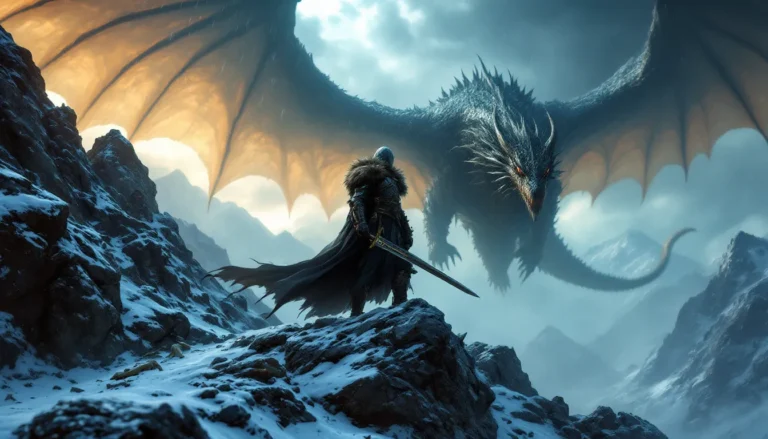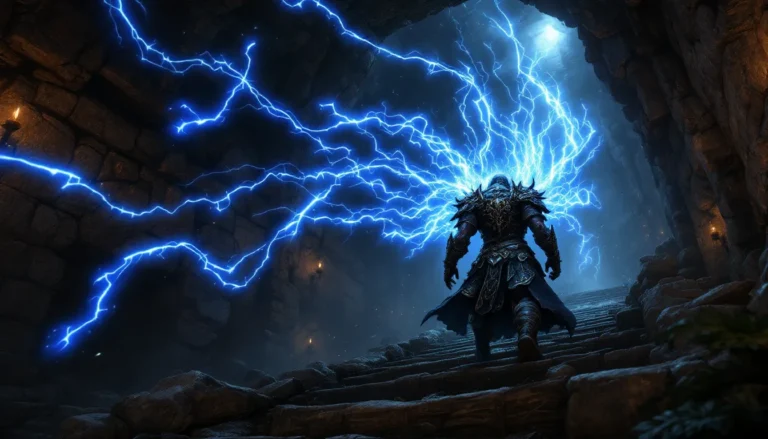

Skyrim’s vanilla armor selection, while serviceable, hasn’t aged particularly well since the game’s 2011 release. The same iron, steel, and daedric sets that players have been staring at for over a decade lack the visual fidelity and variety that modern gamers expect. That’s where armor mods come in, transforming the Dragonborn from a low-poly warrior into a genuinely impressive character, whether players want lore-friendly immersion or something that pushes fantasy to its limits.
The modding scene in 2026 is more vibrant than ever, with thousands of armor mods available across platforms. Some replace existing armors with high-resolution retextures, others add entirely new sets with custom meshes and stats, and a few even overhaul how armor functions mechanically. Navigating this landscape can be overwhelming, especially when compatibility, load orders, and body replacers enter the equation. This guide breaks down the essential armor mods every Skyrim player should consider, from massive compilations to standalone pieces that redefine character customization.
Table of Contents
ToggleKey Takeaways
- Skyrim armor mods transform the game’s visually dated vanilla armor by adding high-resolution retextures, new lore-friendly sets, and mechanical improvements that modernize character customization.
- Immersive Armors stands as the gold standard compilation, adding 55 new armor sets and 396 shields with full NPC integration and an MCM menu for fine-tuned control over your character’s appearance.
- Body replacers like CBBE require compatible armor meshes and BodySlide rebuilds; using the wrong body type with armor causes clipping and neck seam issues that are easily fixed with the BodySlide tool.
- Lore-friendly armor mods like NordWarUA’s replacers and faction-specific overhauls enhance immersion by making NPCs and regional guards visually distinct while maintaining Skyrim’s established identity.
- Use Mod Organizer 2 for advanced control over load order and armor installations, or start with Vortex if you’re a beginner—both managers handle the complexity of modern Skyrim armor modding effectively.
- Common armor mod issues like missing textures, black face bugs, and clipping are predictable and fixable through proper installation practices, load order management, and BodySlide adjustments.
Why Armor Mods Are Essential for Skyrim Players
Bethesda’s base game armors are functional but visually dated. The textures are muddy by 2026 standards, many meshes show their age with blocky geometry, and the variety is limited once players exhaust the standard progression from hide to dragonbone. Armor mods address all three issues simultaneously.
First, they bring visual quality up to modern expectations. High-resolution retextures at 4K or even 8K resolution reveal details that were never visible in the original assets, individual chain links, leather stitching, worn metal surfaces. These improvements aren’t just cosmetic: they fundamentally change how immersive the game feels when players look down at their character or examine NPCs.
Second, armor mods inject variety into character builds. Instead of every heavy armor character eventually wearing the same daedric set, modded armors offer hundreds of alternatives that fit different roleplaying concepts. A Nord warrior might wear historically-inspired lamellar armor, while a rogue could don a sleek leather outfit with functional pouches and belts. This diversity keeps playthroughs fresh even after hundreds of hours.
Finally, many armor mods include stat adjustments or entirely new mechanics. Some add set bonuses similar to what players expect from modern RPGs, while others integrate with survival or combat overhaul mods to create deeper gameplay systems. The Top Skyrim Mods ecosystem in 2026 revolves heavily around visual and mechanical improvements like these, making armor mods a cornerstone of any serious mod list.
Top Skyrim Armor Mods for Immersive Gameplay
Immersive Armors: The Ultimate Compilation
Immersive Armors remains the gold standard for players who want maximum variety without spending hours curating individual mods. This compilation adds 55 new armor sets and 396 shields to the game, all integrated into the leveled lists so they appear naturally on NPCs, in loot, and at vendors.
What makes Immersive Armors particularly valuable is its lore-friendly approach. Every piece feels like it could have shipped with the base game, no anime aesthetics or modern tactical gear here. The sets range from barbarian furs to ornate plate armor, with options for light, heavy, and clothing categories. The mod also includes an MCM (Mod Configuration Menu) that lets players toggle individual sets on or off, which is crucial for maintaining a specific aesthetic or managing performance.
Installation is straightforward on both Vortex and Mod Organizer 2, though players should grab the official compatibility patches for popular body mods. As of early 2026, Immersive Armors works perfectly with Special Edition and Anniversary Edition, though some users report minor clipping issues with certain body replacers that can be fixed with BodySlide adjustments.
Practical Armors and Weapon Replacers
For players who prioritize realism over fantasy excess, Practical Armors strips away the impractical elements of Skyrim’s armor design. This mod removes the ridiculous boob plates from female armors, adjusts proportions to more realistic standards, and generally makes equipment look like it could actually protect someone in combat.
The changes are subtle but meaningful. Female characters no longer wear metal bikinis into battle, and male armors lose some of their more exaggerated pauldrons. It’s perfect for players running survival mods or hardcore difficulty settings where immersion matters. The mod works alongside most retexture packs, making it an excellent foundation layer before adding visual enhancements.
Practical Armors doesn’t add new content, it edits existing meshes, so compatibility is generally excellent. Players should load it early in their load order and let more specific armor mods override it where necessary.
CBBE and BodySlide Compatible Armor Sets
Body replacers like CBBE (Caliente’s Beautiful Bodies Edition) are ubiquitous in the Skyrim modding community, but they create compatibility nightmares for armor mods. Vanilla armors are designed for vanilla body meshes, so installing CBBE without armor support results in the infamous “neck seam” and clipping issues.
Fortunately, most major armor mods in 2026 ship with CBBE-compatible versions or BodySlide files. BodySlide is a tool that lets players build custom armor meshes to match their chosen body preset, ensuring perfect compatibility. Essential CBBE armor collections include:
- CBBE Vanilla Armors – Replaces all base game armors with CBBE-fitted versions
- BHUNP (UUNP Next Generation) – An alternative body with excellent physics support
- 3BA (3BBB) – Advanced body with per-armor physics customization
Players using these body mods should always check an armor mod’s compatibility before installing. Most authors on Nexus Mods clearly list supported body types in their descriptions. When in doubt, checking the Posts or Bugs tabs can reveal whether other users have successfully adapted a mod for specific body types.
Best Lore-Friendly Armor Mods
NordWarUA’s Armor Replacers
NordWarUA has become synonymous with high-quality, lore-friendly armor replacers. This author’s work focuses on replacing vanilla faction armors with historically-inspired alternatives that feel authentic to Skyrim’s Nordic and Imperial influences. The Steel Soldier Armor, Guard Armor Replacer, and Unplayable Faction Armors series are standouts.
What sets NordWarUA apart is attention to regional variation. Guards in different holds now wear visibly distinct armor that reflects their city’s culture and resources. Windhelm guards sport heavy furs and layered protection against the cold, while Solitude guards wear more refined Imperial-style plate. These details make the world feel more lived-in and thoughtfully designed.
The mechanical stats remain unchanged, these are purely visual replacers, so balance isn’t affected. But, the visual improvement is dramatic enough that many players consider NordWarUA’s work essential for any playthrough focused on Skyrim’s civil war or faction questlines. Players pursuing Skyrim Strategies built around faction roleplay will find these replacers significantly enhance immersion.
Compatibility with other armor mods is generally excellent since NordWarUA’s replacers modify specific vanilla armors rather than adding new items. Load order matters less here than with compilation mods, though players should still check for conflicts in xEdit if running extensive mod lists.
Faction-Specific Armor Overhauls
Beyond NordWarUA’s work, several mods focus on specific factions:
Stormcloak Hero Armor gives Ulfric’s forces a much-needed visual upgrade. The vanilla Stormcloak armor looks like repurposed civilian clothing, which fits the lore but doesn’t inspire confidence. This mod adds proper military-grade armor for high-ranking Stormcloaks while keeping the scrappy aesthetic for regular soldiers.
Legion – Armor Overhaul modernizes Imperial armor with better textures and mesh improvements. The armor now looks like professional military equipment worthy of the Empire’s reputation. It integrates seamlessly with the Civil War questline and includes variations for different ranks.
Tribunal Robes and Masks is perfect for Temple of Miraak or Dragonborn DLC playthroughs. It enhances the cultist aesthetic with higher resolution textures and more sinister-looking mask designs. The robes now actually look like they belong to a dangerous daedric cult rather than budget cosplayers.
These faction overhauls are particularly valuable for players who prefer working within Skyrim’s established lore rather than importing external aesthetics. They enhance the game’s existing identity instead of replacing it with something foreign.
Standalone Armor Mods Worth Downloading
Fantasy and Exotic Armor Additions
Standalone armor mods add individual sets without touching existing content, making them inherently compatible with most setups. These are ideal for players who want specific aesthetic options without committing to large overhauls.
Daedric Reaper Armor offers one of the most visually impressive heavy armor sets available. The design leans into dark fantasy with skull motifs, ethereal effects, and a genuinely intimidating silhouette. Stats are balanced to sit between daedric and dragonbone armor, making it a viable endgame choice. The armor is craftable at the Skyforge after completing the Companions questline.
Brigandage adds a collection of bandit-themed armors perfect for outlaw roleplays. These sets look worn and practical, exactly what a highway robber would cobble together from stolen pieces. They’re distributed to bandit NPCs as well, making encounters more visually diverse.
Lustmord Vampire Armor is the go-to choice for Volkihar vampire playthroughs. The gothic aesthetic perfectly matches Castle Volkihar’s architecture, and the included coffin-shaped shield is a nice touch. Stats favor stealth and magic rather than direct combat, fitting the vampire fantasy. Players interested in Creative Skyrim Ideas for vampire characters will find this mod opens up interesting roleplaying possibilities.
Apachii Divine Elegance Store functions as a one-stop shop for exotic armors and clothing. Located in Solitude, this player home/store includes dozens of unique outfits ranging from elegant dresses to functional adventuring gear. It’s particularly useful for players who want fashion options beyond combat armor.
Most standalone armors can be found in-game through crafting, vendors, or placed in specific locations. Check each mod’s description for acquisition methods, some require console commands while others integrate naturally into the game world.
Tactical and Modern Armor Conversions
Not every player wants medieval fantasy 100% of the time. Tactical and modern armor conversions scratch the itch for something different, even if they shatter immersion.
Modern Armor Pack ports contemporary military gear into Skyrim, including plate carriers, tactical helmets, and modular pouches. It’s completely lore-breaking but undeniably fun for players who want to roleplay as a time-displaced soldier. The armors have balanced stats equivalent to high-level vanilla sets.
Call of Duty Armor Collection brings iconic armor sets from the COD franchise. These are purely for fun and aren’t recommended for serious playthroughs, but they’re well-made with proper weight painting and physics.
Sci-Fi Arsenal includes both weapons and armor with a futuristic aesthetic. Players can acquire powered armor suits, energy shields, and other tech that feels pulled from Mass Effect or Halo. Obviously not lore-friendly, but the quality is impressive.
These mods appeal to a specific audience, players who’ve already experienced Skyrim dozens of times and want something completely different. They’re also popular for screenshot enthusiasts who enjoy creating absurd or creative scenarios. According to discussion threads on Twinfinite, these types of conversion mods see renewed interest whenever a new Skyrim anniversary or re-release generates media attention.
Retexture and Visual Enhancement Armor Mods
aMidianBorn Book of Silence
aMidianBorn Book of Silence is legendary in the modding community for good reason. This comprehensive retexture suite covers weapons, armors, creatures, and unique items with hand-painted textures that dramatically improve visual quality while maintaining the vanilla aesthetic.
The armor component retextures all major armor types, iron, steel, scaled, plate, elven, dwarven, orcish, ebony, daedric, and dragonbone. Each receives 2K textures with proper normal and specular maps that make materials look convincing under different lighting conditions. Steel actually looks like steel, leather has visible grain and wear, and daedric armor has the menacing otherworldly quality it should have had from the start.
What makes aMidianBorn special is artistic consistency. The textures don’t look like random replacements from different authors, they share a unified visual language that feels professional. The mod also includes texture options for different tastes: players can choose between multiple variants for certain armor sets.
Performance impact is moderate. The 2K textures are significantly higher resolution than vanilla but won’t destroy frame rates on modern hardware. Players on older systems or using integrated graphics can download the 1K lite version for better performance with minimal visual sacrifice. The mod works perfectly with Essential Skyrim Techniques for optimizing game performance without sacrificing visual quality.
Installation is modular, players can select only the categories they want rather than installing everything. This flexibility makes aMidianBorn compatible with nearly any setup, though it should generally load after other armor mods in the load order so its textures take priority.
4K and 8K Armor Texture Packs
For players with high-end hardware who want maximum visual fidelity, ultra-high-resolution texture packs push Skyrim’s visuals into territory that rivals modern releases.
Rustic Clothing provides 4K textures for all clothing items, from common peasant outfits to noble garments. The detail is remarkable, individual threads are visible, fabric weaves look authentic, and worn areas show realistic deterioration. Even players who don’t wear clothing items benefit since NPCs throughout Skyrim look dramatically better.
BDOR Pack by Team TAL converts armors from Black Desert Online with stunning 4K and 8K textures. These are technically standalone additions rather than replacers, but the visual quality is extraordinary. The armors lean toward Korean MMO aesthetics with elaborate designs and metallic finishes that almost look photorealistic.
4K Falmer Armor Retex might seem niche, but players who’ve spent time in Dwemer ruins know how much time they spend looking at Falmer. This retexture makes their chitinous armor look appropriately disgusting with high-resolution organic textures that emphasize the body-horror aspect.
Frankly HD Imperial and Stormcloak Armor are essential for Civil War participants. These 4K retextures make faction armors look properly military-grade with visible weathering, battle damage, and material detail. Players using these alongside NordWarUA’s mesh replacers get the best of both worlds, improved geometry and stunning textures.
Performance considerations are significant with 4K and especially 8K textures. VRAM usage increases dramatically, and players should monitor their system with tools like MSI Afterburner to ensure they’re not exceeding limits. As a general rule, 8K textures are overkill unless playing at 4K resolution or using VR. For 1080p or 1440p gaming, 4K textures are the sweet spot between quality and performance.
How to Install Skyrim Armor Mods Safely
Using Mod Managers: Vortex vs. Mod Organizer 2
Manual mod installation is a recipe for disaster in 2026. Modern armor mods often include dozens of files, optional plugins, and compatibility patches that are impossible to manage by hand. Mod managers handle installation, load order, and conflicts automatically.
Vortex is the official mod manager from Nexus Mods. It’s designed for beginners with an intuitive interface and automatic conflict resolution. After installing Vortex, players simply click “Mod Manager Download” on any Nexus mod page, and Vortex handles everything. It uses a plugin system for load order management and shows clear warnings when conflicts arise.
The main advantage of Vortex is simplicity. The automatic sorting usually gets load order correct, and the visual rule system makes customization straightforward. But, power users sometimes find it limiting, the virtual file system can be confusing when troubleshooting, and manual load order adjustments are less granular than alternatives.
Mod Organizer 2 (MO2) is the tool of choice for serious modders. It uses a virtual file system that keeps mods completely separate from the base game directory, meaning Skyrim’s data folder remains pristine. Each mod exists in its own folder, making it trivial to enable, disable, or rearrange mods without affecting anything else.
MO2’s learning curve is steeper, but the payoff is total control. Players can create separate profiles with completely different mod setups, easily troubleshoot conflicts by examining the mod priority list, and use advanced features like file hiding and mod merging. For armor modding specifically, MO2’s ability to quickly swap between different BodySlide outputs is invaluable.
Both managers work excellently for armor mods. Beginners should start with Vortex and migrate to MO2 if they develop more complex needs. Players can also refer to Skyrim Tools for additional utility recommendations that complement either mod manager.
Load Order and Compatibility Patches
Load order determines which mod’s changes take priority when multiple mods affect the same records. For armor mods, this matters for leveled lists, NPC outfit assignments, and crafting recipes.
General load order principles:
- Master files first – Skyrim.esm, Update.esm, Dawnguard.esm, etc.
- Large overhauls next – USSEP (Unofficial Skyrim Special Edition Patch), major gameplay mods
- Armor additions – Immersive Armors, standalone sets
- Armor replacers – NordWarUA, aMidianBorn (if using .esp versions)
- Patches last – Compatibility patches that merge changes from multiple mods
LOOT (Load Order Optimization Tool) automatically sorts plugins using a community-maintained masterlist. It works with both Vortex and MO2 and solves 90% of load order issues instantly. Players should run LOOT after installing new mods, though manual adjustments are sometimes necessary.
Compatibility patches are critical when running multiple armor mods. For example, if using both Immersive Armors and WACCF (Weapons Armor Clothing and Cloak Fixes), a patch ensures both mods’ changes to armor stats and distribution coexist peacefully. Most major mods include patch collections for popular combinations.
xEdit (SSEEdit) is the advanced tool for resolving conflicts manually. It shows exactly which records each mod changes and lets players create custom patches. This is essential for players running 200+ mod setups where automated tools can’t resolve every conflict. The learning curve is significant, but resources like the Best Skyrim Mods guides often include xEdit tutorials for specific compatibility scenarios.
Wrye Bash creates a Bashed Patch that merges leveled lists from all mods. This ensures armor added by different mods all appears in loot and on NPCs correctly. Without a Bashed Patch, mods that edit the same leveled lists will override each other rather than combining their additions.
Troubleshooting Common Armor Mod Issues
Missing Textures and Black Face Bugs
Missing textures manifest as purple-and-black checkered patterns on armor or the infamous “purple texture” issue. This happens when the game can’t find the texture files referenced by the armor’s mesh.
Common causes and fixes:
- Incorrect installation path – Ensure textures are in Data/textures/, not Data/Data/textures/
- Missing BSA registration – Some mods use BSA archives that need proper registration in the .esp file
- Loose file conflicts – Another mod’s loose files might be overwriting required textures
- Case sensitivity on Linux – Players using Proton on Linux need to verify filename case matches exactly
To troubleshoot, check the mod’s file structure in MO2’s file tree viewer or manually browse the mod folder. Compare against the author’s provided screenshots or file list. If textures are genuinely missing, re-download the mod or check for separate texture packs.
Black face bugs occur when NPC facegen data doesn’t match their equipped armor, usually because an armor mod changed NPC outfits without including updated facegen files. The NPC’s head appears much darker than their body, creating a jarring disconnect.
Fixes include:
- Install USSEP – Fixes many vanilla black face instances
- Use EasyNPC – Automated tool that fixes black face by regenerating facegen
- Manual facegen in Creation Kit – Ctrl+F4 with the NPC selected
- Check for conflicts – Another mod might be overwriting facegen data
Many comprehensive armor overhauls include facegen files for any NPCs they modify, but standalone armor additions sometimes miss this. If a specific NPC has black face, use xEdit to identify which mod last modified them, then check if facegen files exist.
Clipping and Physics Problems
Clipping happens when armor meshes intersect with the character body or each other. A pauldron might sink into the shoulder, or a skirt might poke through leg armor during certain animations.
Body-related clipping usually stems from body/armor incompatibility:
- Wrong body preset – Armor built for CBBE Curvy won’t fit CBBE Slim properly
- Missing BodySlide build – Player changed body preset but didn’t rebuild armors
- Animation conflicts – Combat animations with extreme movements cause temporary clipping
The solution is using BodySlide to rebuild armor meshes for the player’s exact body preset. Open BodySlide, select the armor outfit, choose the appropriate preset, and click Build. This generates new meshes that perfectly fit the character model. Players using popular body mods should expect to rebuild armors regularly when trying new sets.
Physics problems occur with mods using HDT-SMP or CBPC for cloth and body physics. Cloaks might fly wildly, breast physics might behave unrealistically, or physics might fail to load entirely.
Troubleshooting steps:
- Verify physics framework – Ensure CBPC or HDT-SMP is correctly installed and working with other items
- Check xml configs – Physics are defined in XML files that specify weight, stiffness, and collision
- Reduce time scale – Physics break if the game’s time scale exceeds 20 (default is 20)
- Disable conflicting mods – Some animation or skeleton mods conflict with physics systems
Players running Skyrim Trends 2026 setups often use extensive physics systems, so understanding these troubleshooting steps is critical. Community guides on RPG Site frequently cover advanced physics configuration for players who want maximum realism without performance hits.
Performance impacts from physics can be significant. Each physics-enabled item requires CPU calculations every frame, so heavily physics-modded setups need strong processors. Disabling physics on less important items (like NPC clothing) while keeping it for the player character is a common optimization.
Conclusion
Armor mods have evolved from simple retextures into comprehensive systems that rival or exceed many modern RPGs’ customization options. Whether players want historically-inspired realism with NordWarUA’s replacers, high-fantasy excess with standalone sets, or cutting-edge visual fidelity with 4K texture packs, the 2026 modding scene delivers.
The key to successful armor modding is understanding the ecosystem. Body replacers, physics systems, load order management, and compatibility patches all interact in complex ways. Players who invest time learning tools like BodySlide, MO2, and xEdit will find themselves able to create stable, visually stunning setups with hundreds of armor options. Those who prefer simplicity can stick with curated compilations like Immersive Armors and aMidianBorn Book of Silence for dramatic improvements with minimal hassle.
Skyrim’s modding community shows no signs of slowing down. New armor mods appear daily, existing projects receive updates, and tools continue improving. Players diving into armor modding in 2026 are entering the scene at its most mature and accessible point. With the guidance in this text, even modding newcomers can transform their Dragonborn into exactly the character they’ve envisioned, whether that’s a lore-accurate Nord warrior or a time-displaced tactical operator fighting dragons with modern gear.