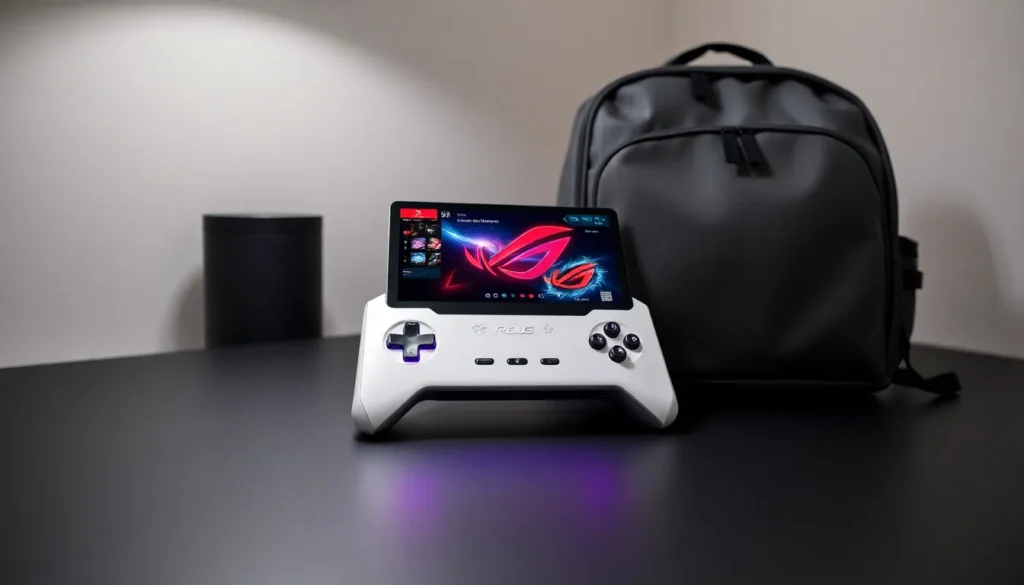

The Asus ROG Ally has changed how gamers think about portable gaming. This handheld gaming PC packs desktop-level power into a device that fits in a backpack. Since its release, the ROG Ally has attracted serious attention from PC gamers who want their Steam library on the go.
But is it worth the hype? This guide breaks down everything buyers need to know about the Asus ROG Ally. From hardware specs to real-world gaming performance, battery considerations to software quirks, readers will find clear answers here. Whether someone is comparing it to the Steam Deck or just curious about handheld PC gaming, this article covers the essentials.
Table of Contents
ToggleKey Takeaways
- The Asus ROG Ally delivers desktop-level gaming performance in a portable form factor, powered by AMD’s Z1 Extreme processor with RDNA 3 graphics.
- Its 7-inch 1080p 120Hz display provides smooth visuals for fast-paced games, outperforming competitors like the Steam Deck’s 800p 60Hz screen.
- Battery life is the ROG Ally’s biggest drawback, lasting only 1.5-2 hours during demanding AAA games and up to 6 hours for light tasks.
- Running Windows 11 gives instant access to Steam, Epic, GOG, and Xbox Game Pass libraries without compatibility issues or repurchasing games.
- The ROG Ally best suits gamers who prioritize raw power and PC game compatibility over extended portable play sessions away from power outlets.
Key Specifications and Hardware Overview
The Asus ROG Ally runs on AMD’s Z1 Extreme processor, built specifically for handheld gaming. This chip combines a Zen 4 CPU with RDNA 3 graphics, delivering performance that rivals some gaming laptops. The base model uses the standard Z1 chip, while the higher-tier version features the Z1 Extreme with more compute units.
Here’s what sits under the hood:
- Display: 7-inch IPS LCD, 1920×1080 resolution, 120Hz refresh rate
- Processor: AMD Z1 or Z1 Extreme (up to 8 cores, 16 threads)
- Graphics: AMD RDNA 3 integrated GPU (up to 12 compute units)
- RAM: 16GB LPDDR5 memory
- Storage: 512GB NVMe SSD (expandable via microSD)
- Weight: 608 grams
The 120Hz screen stands out immediately. Games look smooth, and the response time keeps up with fast-paced shooters. Colors appear vibrant, though the LCD panel can’t match OLED blacks.
Asus built the ROG Ally with premium materials. The ergonomic grip feels comfortable during long sessions. Hall effect joysticks resist drift issues that plague other controllers. Two rear buttons add extra input options for complex games.
Cooling relies on a dual-fan system. It keeps temperatures manageable but generates noticeable noise under load. The ROG Ally runs warm during intense gaming, though it stays within safe operating ranges.
Gaming Performance and User Experience
The Asus ROG Ally delivers impressive gaming performance for its size. AAA titles run smoothly at medium to high settings. Players can expect 30-60 FPS in demanding games like Cyberpunk 2077 and Elden Ring at 720p or 1080p.
Performance modes let users balance power and battery life:
- Silent Mode: 9W TDP, best for indie games and older titles
- Performance Mode: 15W TDP, good all-around option
- Turbo Mode: 25W TDP, maximum power for demanding games
The ROG Ally handles most PC games without issue. Older titles and indie games run at full settings. Recent releases require some tweaking, but the results remain playable. FSR and other upscaling technologies help maintain frame rates.
User experience benefits from the familiar Windows environment. Gamers access their existing Steam, Epic, and GOG libraries immediately. No need to repurchase games or deal with compatibility layers.
The controller layout feels natural. Button placement mirrors standard Xbox controllers. The d-pad works well for fighting games and platformers. Analog triggers provide precise input for racing games.
One frustration: load times vary depending on game optimization. Some titles boot quickly, while others take noticeably longer than on a full desktop PC. Storage speed helps, but system overhead from Windows adds delays.
Battery Life and Portability
Battery life represents the Asus ROG Ally’s biggest weakness. The 40Wh battery provides 1.5 to 2 hours during demanding games. Lighter titles and streaming extend this to 4-6 hours. These numbers fall short of dedicated gaming handhelds.
Real-world usage varies significantly:
| Activity | Estimated Battery Life |
|---|---|
| AAA Gaming (Turbo) | 1-1.5 hours |
| AAA Gaming (Performance) | 2-2.5 hours |
| Indie Games | 3-4 hours |
| Video Streaming | 5-6 hours |
| Light Productivity | 6+ hours |
The ROG Ally charges via USB-C at 65W. A full charge takes about 1.5 hours. Users can play while charging, though the device gets warmer.
Portability works well even though battery concerns. The 608-gram weight feels manageable. It fits in most bags and backpacks without trouble. The included carrying case protects the screen during travel.
Asus designed the ROG Ally for sessions near power outlets. Long flights or road trips require a portable charger or battery bank. The 65W charging requirement limits compatible power banks, so buyers should plan accordingly.
For commuters and travelers, the battery situation requires planning. Short gaming sessions work fine. Extended play needs power access.
Software Features and Windows Integration
The Asus ROG Ally runs Windows 11, giving users full access to PC gaming ecosystems. This choice offers flexibility but introduces some friction. Windows wasn’t designed for handheld use, and it shows.
Armoury Crate SE serves as the main interface. This custom software provides:
- Quick access to game libraries
- Performance monitoring and settings
- Controller configuration options
- System updates and optimization tools
The software works reasonably well. Launching games takes a few taps. Switching between performance modes happens instantly. But, some tasks still require the Windows desktop, which can feel clunky with touch controls.
Game compatibility shines as a major advantage. The ROG Ally plays virtually any PC game. Steam, Epic Games Store, Xbox Game Pass, and other platforms work natively. No compatibility layers or workarounds needed.
Xbox Game Pass integration deserves special mention. Subscribers access hundreds of games immediately. Cloud gaming through Xbox fills gaps when local hardware struggles with demanding titles.
Windows updates occasionally cause issues. Some updates reset settings or introduce bugs. Asus releases regular firmware updates to address problems, but users should expect occasional maintenance.
The on-screen keyboard works adequately for searches and passwords. Typing longer text remains awkward. A Bluetooth keyboard helps for productivity tasks.
How It Compares to Other Handheld Gaming Devices
The Asus ROG Ally competes directly with the Steam Deck and other handheld gaming PCs. Each device serves different priorities.
Asus ROG Ally vs. Steam Deck
The ROG Ally offers more raw power. Its Z1 Extreme chip outperforms the Steam Deck’s custom AMD APU by a significant margin. The 1080p 120Hz screen beats the Steam Deck’s 800p 60Hz display.
But, the Steam Deck costs less and delivers better battery life. Its Linux-based SteamOS runs more efficiently than Windows. Valve’s device also offers an OLED variant with superior contrast.
Asus ROG Ally vs. Lenovo Legion Go
The Legion Go features detachable controllers and a larger 8.8-inch screen. It uses the same Z1 Extreme chip as the ROG Ally. The bigger display suits some users, though it adds weight.
The ROG Ally feels more compact and portable. Its ergonomics suit longer play sessions better. Price points sit close enough that personal preference matters most.
Asus ROG Ally vs. Nintendo Switch
These devices target different audiences. The Switch offers Nintendo exclusives and longer battery life. The ROG Ally provides access to the entire PC gaming catalog with better graphics.
Parents might prefer the Switch’s simpler interface. PC gaming enthusiasts will appreciate the ROG Ally’s flexibility and power.