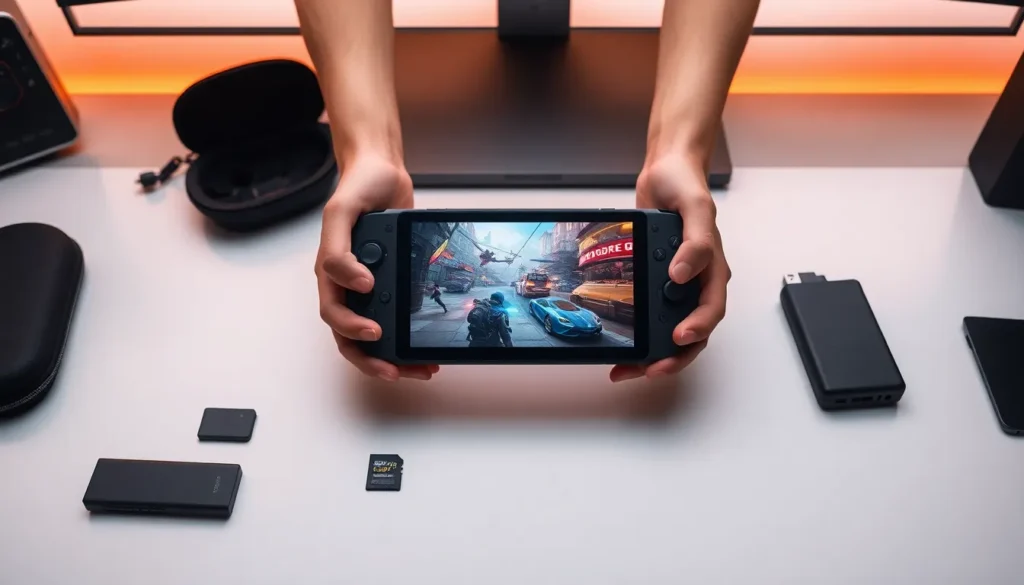

The Asus ROG Ally guide you’ve been waiting for is here. This handheld gaming PC has shaken up the portable gaming market since its 2023 release, offering Windows 11 power in a Nintendo Switch-sized package. Whether someone just bought one or is still deciding, this guide covers every essential detail. From specs and setup to performance tips and game recommendations, readers will find everything they need to get the most out of their ROG Ally.
Table of Contents
ToggleKey Takeaways
- The Asus ROG Ally is a Windows 11 handheld gaming PC that provides native access to Steam, Xbox Game Pass, Epic Games, and all major PC gaming platforms.
- The Z1 Extreme model delivers noticeably better gaming performance than the base Z1, making it the preferred choice for most buyers.
- Use Performance Mode (15W) for most games and reserve Turbo Mode (25W) for demanding AAA titles to balance frame rates and battery life.
- Lowering resolution to 720p and enabling AMD FSR significantly improves battery life without a major visual impact on the 7-inch screen.
- Expand the 512GB storage by adding a high-speed microSD card (up to 2TB supported) to keep more games installed.
- Essential ROG Ally accessories include a travel case, USB-C dock for desktop mode, and a 65W PD power bank for extended portable gaming sessions.
What Is the Asus ROG Ally?
The Asus ROG Ally is a handheld gaming PC made by Asus under its Republic of Gamers brand. It runs Windows 11 and plays PC games natively, no streaming required. Think of it as a gaming laptop squeezed into a portable form factor.
Asus released the ROG Ally in June 2023, and it quickly became a serious competitor to Valve’s Steam Deck. The key difference? Windows compatibility. Users can access Steam, Epic Games, Xbox Game Pass, and virtually any PC gaming platform directly on the device.
The ROG Ally features a 7-inch 1080p IPS display with a 120Hz refresh rate. That’s sharper and smoother than most handheld competitors. The device weighs about 608 grams, making it comfortable for extended gaming sessions.
Two versions exist: the base model with an AMD Ryzen Z1 chip and the higher-end version with the Ryzen Z1 Extreme processor. Most buyers opt for the Z1 Extreme because it delivers noticeably better gaming performance.
Key Features and Specifications
Understanding the ROG Ally specs helps users know what this device can handle. Here’s a breakdown of the core hardware:
- Processor: AMD Ryzen Z1 or Z1 Extreme (up to 8 cores, 16 threads)
- Graphics: AMD RDNA 3 integrated graphics (up to 12 compute units on Z1 Extreme)
- Display: 7-inch IPS, 1920×1080 resolution, 120Hz refresh rate, 500 nits brightness
- RAM: 16GB LPDDR5
- Storage: 512GB PCIe 4.0 SSD (user-upgradeable)
- Battery: 40Wh
- Weight: 608 grams
- Connectivity: Wi-Fi 6E, Bluetooth 5.2, USB-C with DisplayPort, microSD slot
The Asus ROG Ally guide wouldn’t be complete without mentioning the controls. The device includes hall-effect analog sticks, two rear macro buttons, and a fingerprint sensor built into the power button. The ergonomic grip design keeps hands comfortable during long play sessions.
Asus also built in dual speakers with Dolby Atmos support. The audio quality surprises many users, it’s genuinely good for a handheld device.
Setting Up Your ROG Ally
Setting up the ROG Ally takes about 15-20 minutes. Here’s a step-by-step process to get started:
Initial Boot and Windows Setup
- Press the power button and follow the Windows 11 setup prompts
- Connect to Wi-Fi and sign into a Microsoft account
- Let Windows install any pending updates (this takes a few minutes)
Armoury Crate SE Configuration
Armoury Crate SE is Asus’s custom software for the ROG Ally. It serves as the main interface for launching games and adjusting settings. Users should spend time familiarizing themselves with this app. It offers quick access to performance modes, fan controls, and display settings.
Game Platform Installation
Install preferred gaming platforms next. Most users grab Steam, Xbox app, and Epic Games Launcher. The ROG Ally handles all major PC gaming storefronts without issues.
Driver and BIOS Updates
Check for updates through MyAsus app. Asus regularly releases driver and BIOS updates that improve performance and fix bugs. Keeping the ROG Ally updated ensures the best experience.
Tips for Optimizing Performance and Battery Life
The ROG Ally delivers impressive performance, but smart settings make a big difference. These tips help users squeeze out better frame rates and longer battery life.
Performance Mode Selection
Armoury Crate SE offers three power modes:
- Silent Mode: 9W TDP, quiet operation, longest battery life
- Performance Mode: 15W TDP, balanced for most games
- Turbo Mode: 25W TDP, maximum power for demanding titles
Most games run well in Performance Mode. Save Turbo Mode for graphically intense AAA titles.
Resolution and FSR Settings
Drop resolution to 720p for better frame rates and battery life. The 7-inch screen makes the difference less noticeable than expected. AMD FSR (FidelityFX Super Resolution) upscales lower resolutions and works well on the ROG Ally.
Battery Optimization
The 40Wh battery lasts 1.5 to 2 hours in Turbo Mode and up to 6 hours in Silent Mode with lighter games. Users can extend battery life by:
- Lowering screen brightness
- Disabling Bluetooth when not needed
- Using Silent or Performance modes
- Enabling frame rate caps at 30 or 40 FPS
Storage Management
The 512GB SSD fills up fast. Users should add a fast microSD card for additional game storage. The ROG Ally supports cards up to 2TB.
Best Games and Accessories for the ROG Ally
The Asus ROG Ally plays thousands of PC games, but some work better than others on handheld hardware.
Top Games for the ROG Ally
- Hades: Fast-paced roguelike that runs flawlessly at 120 FPS
- Baldur’s Gate 3: Plays surprisingly well at medium settings
- Elden Ring: Solid 40-60 FPS in Performance Mode
- Persona 5 Royal: Perfect handheld experience
- Vampire Survivors: Light on resources, great for battery life
- Stardew Valley: Ideal for relaxed portable gaming
Xbox Game Pass offers excellent value for ROG Ally owners. The subscription provides access to hundreds of games without purchasing each title individually.
Must-Have Accessories
Several accessories enhance the ROG Ally experience:
- Asus ROG Ally Travel Case: Protects the device during transport
- USB-C Dock: Adds HDMI output, USB ports, and Ethernet for desktop mode
- 65W USB-C Charger: Faster than the included 65W adapter for on-the-go charging
- High-Speed microSD Card: Samsung or SanDisk Extreme cards work great
- Screen Protector: Tempered glass protects the display from scratches
- Portable Power Bank: 65W PD power banks can charge the ROG Ally while playing