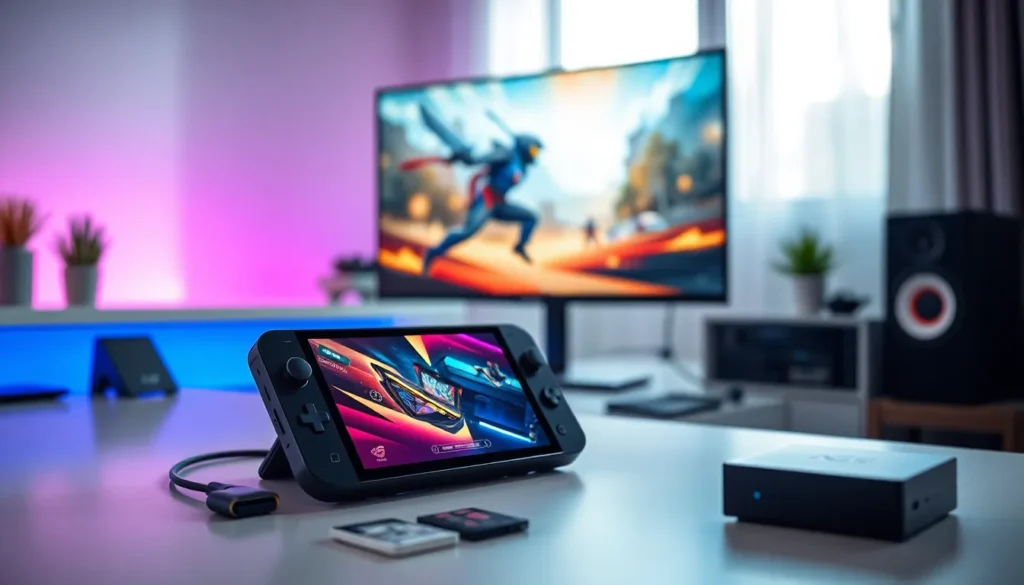

The ASUS ROG Ally has become one of the most talked-about handheld gaming devices since its 2023 launch. But what can it actually do? This guide covers practical ASUS ROG Ally examples, from the games that run smoothly to everyday use cases that extend far beyond gaming. Whether someone is considering a purchase or already owns one, these examples show exactly what the device delivers in real-world scenarios. From AAA titles to productivity tasks, the ROG Ally proves itself as a versatile Windows-based handheld.
Table of Contents
ToggleKey Takeaways
- The ASUS ROG Ally runs demanding AAA games like Cyberpunk 2077 and Elden Ring at playable frame rates, while indie titles hit a smooth 60 FPS.
- Beyond gaming, the ROG Ally handles streaming, light productivity, and cloud gaming thanks to its full Windows 11 operating system.
- Emulation is a standout ASUS ROG Ally example, running PlayStation 2, GameCube, and Wii games at full speed for retro gaming enthusiasts.
- Accessories like docking stations, microSD cards up to 2TB, and 65W power banks significantly expand the device’s versatility.
- The ROG Ally outperforms the Steam Deck by 30-50% in most games and features a superior 1080p 120Hz display.
- For some users, the ROG Ally can replace both a handheld gaming device and a basic gaming PC in a single portable package.
Popular Games That Run Well on the ROG Ally
The ROG Ally handles a wide range of games thanks to its AMD Z1 Extreme processor and RDNA 3 graphics. Here are some standout ASUS ROG Ally examples of games that perform well on the device.
AAA Titles
Cyberpunk 2077 runs at 30-40 FPS on medium settings at 1080p. Players can push for higher frame rates by dropping to 720p, which still looks sharp on the 7-inch display. The ROG Ally handles this demanding title better than many expected.
Elden Ring delivers a smooth 45-60 FPS experience at medium-high settings. The game’s open world loads quickly thanks to the fast NVMe storage. This is one of the most popular ASUS ROG Ally examples users share online.
Hogwarts Legacy maintains 30-35 FPS at medium settings. It’s playable and enjoyable, though users may want to lower some effects for a more consistent experience.
Indie and Older Titles
The ROG Ally truly shines with less demanding games. Hades runs at a locked 60 FPS with max settings. Stardew Valley, Hollow Knight, and Celeste all perform flawlessly. These games also extend battery life significantly, users report 4-5 hours of playtime with lighter titles.
Persona 5 Royal and Yakuza: Like a Dragon both hit 60 FPS without issue. The ROG Ally turns these Japanese RPGs into perfect portable experiences.
Emulation
Emulation represents another strong category of ASUS ROG Ally examples. The device runs PlayStation 2, GameCube, and Wii games at full speed. Switch emulation via Yuzu or Ryujinx works for many titles, though performance varies. Retro gaming fans find the ROG Ally ideal for building a portable emulation library.
Everyday Use Cases Beyond Gaming
The ROG Ally runs Windows 11, which opens up use cases that pure gaming handhelds can’t match. These ASUS ROG Ally examples show the device’s versatility.
Media Consumption
The 1080p 120Hz display makes the ROG Ally an excellent streaming device. Netflix, YouTube, Disney+, and other services run through their native Windows apps or browsers. The screen quality beats most tablets in this price range. Users report watching movies during flights or commutes with great results.
Productivity Tasks
Light productivity works surprisingly well on the ROG Ally. Users connect Bluetooth keyboards and mice for document editing, email, and web browsing. The device handles Microsoft Office, Google Docs, and similar applications without strain.
Some users even connect the ROG Ally to monitors for a desktop-like experience. It won’t replace a dedicated laptop, but it fills gaps nicely.
Cloud Gaming
Xbox Cloud Gaming, GeForce NOW, and other streaming services run natively. The ROG Ally’s strong Wi-Fi 6E support ensures stable connections. This extends the game library dramatically, users can play titles that would otherwise be too demanding.
Accessories and Setup Examples
Accessories expand what the ROG Ally can do. These ASUS ROG Ally examples of popular setups show common configurations.
Docking Solutions
The official ASUS ROG Gaming Charger Dock provides HDMI output, USB ports, and pass-through charging. Users connect the ROG Ally to TVs or monitors for big-screen gaming. Third-party USB-C docks work too, though some users report compatibility issues with certain brands.
Storage Expansion
The built-in 512GB fills up fast with modern games. Users commonly add microSD cards (up to 2TB supported) for additional storage. Popular choices include Samsung and SanDisk cards rated at A2/V30 speeds. Some users also swap the internal SSD for larger drives, the ROG Ally uses a standard 2230 M.2 slot.
Controllers and Peripherals
Bluetooth controllers like the Xbox Wireless Controller or DualSense pair easily. For tabletop play, users prop the ROG Ally on stands and use external controllers. The ASUS ROG Ally Travel Case protects the device during transport, a must-have for portable use.
Power Solutions
The included 65W charger works well, but third-party GaN chargers offer smaller form factors. Power banks rated at 65W or higher can charge the ROG Ally while gaming, extending play sessions during travel.
Performance Comparisons With Other Handhelds
How does the ROG Ally stack up? These ASUS ROG Ally examples compare it to competitors.
ROG Ally vs. Steam Deck
The ROG Ally outperforms the Steam Deck in raw power. Its AMD Z1 Extreme chip delivers roughly 30-50% better performance in most games. The 1080p 120Hz display beats the Steam Deck’s 800p 60Hz screen.
But, the Steam Deck runs SteamOS, which some users prefer for its simplicity. The ROG Ally’s Windows 11 offers more flexibility but requires more setup. Battery life is comparable, both devices last 1.5-2 hours with demanding games.
ROG Ally vs. Lenovo Legion Go
The Legion Go features an 8.8-inch display and detachable controllers. The ROG Ally is more compact and lighter. Performance is similar since both use AMD Z1 Extreme processors. The choice often comes down to screen size preference and controller style.
ROG Ally vs. Nintendo Switch
The comparison here isn’t quite fair, they target different audiences. The ROG Ally delivers dramatically more power and runs PC games. The Switch offers Nintendo exclusives and better battery life. Many users own both for different purposes.
The ROG Ally commands a higher price point, but it replaces both a handheld and a basic gaming PC for some users.